
Quilt | Meta Data Deletion

For the management or deletion of your Meta Data from Quilt Software, please review our terms of service or scroll below for step by step instructions.

Step 1

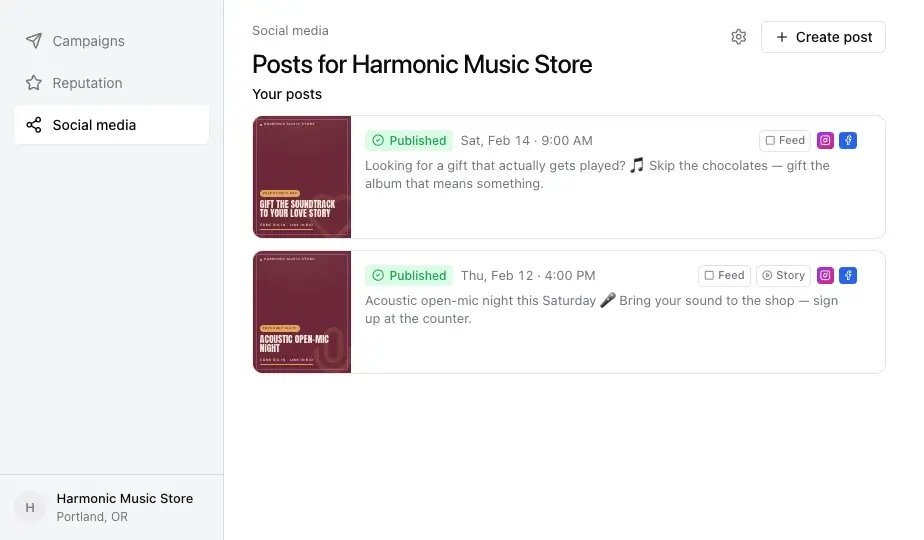
Click the social media page in your point-of-sale, then click the settings icon.
step1-social-media-settings

Step 2

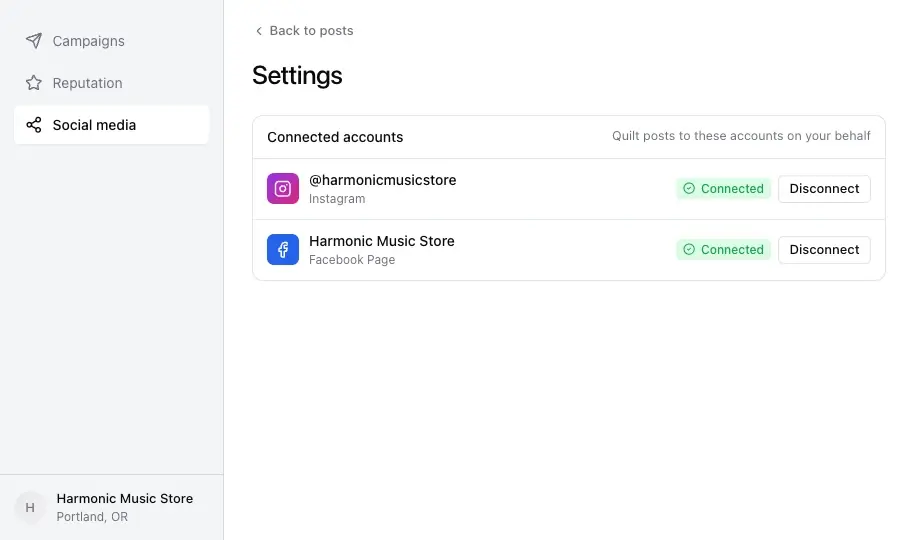
Click Disconnect on the account you want to remove.
step2-disconnect-account

Step 3

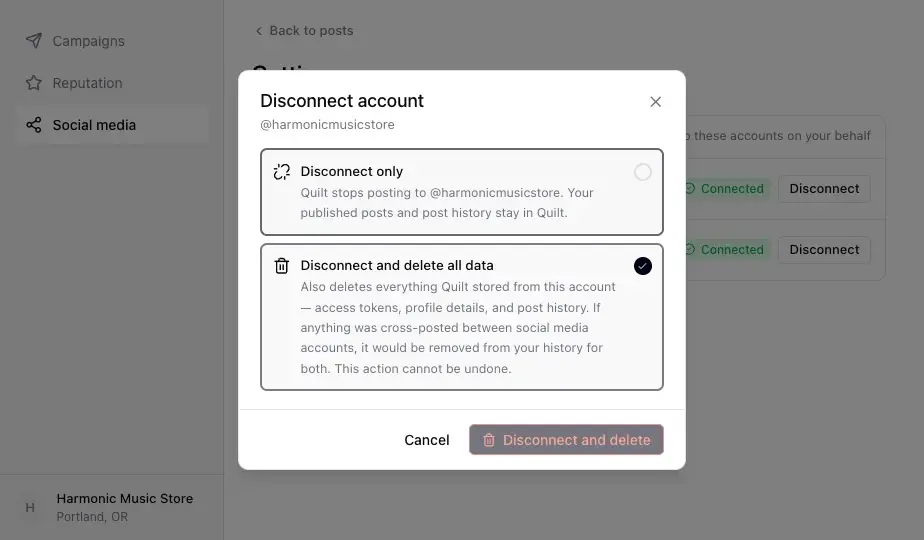
Choose “Disconnect and delete all data,” then confirm.
step3-disconnect-and-delete

Step 4

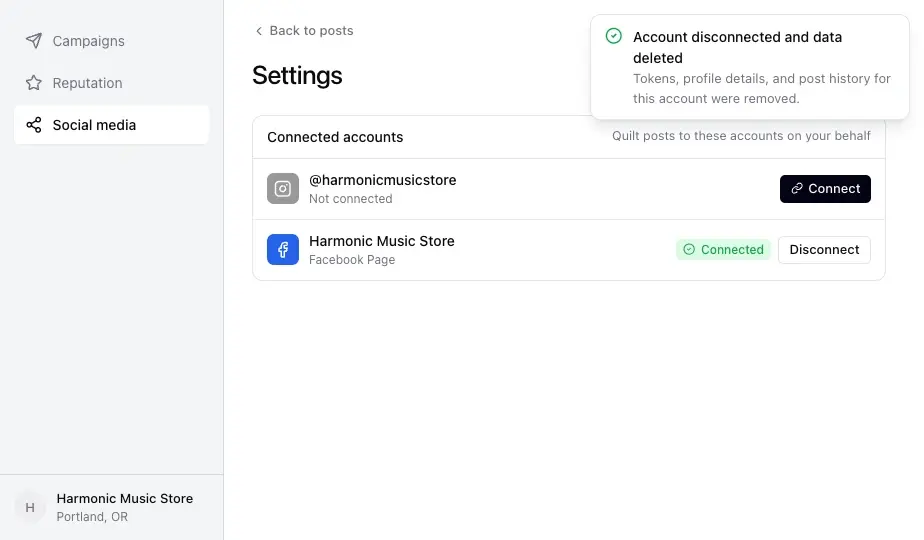
The account is disconnected and its stored data is deleted.
step4-confirmation

Frequently Asked Questions

What data gets deleted with these steps?

Access tokens, profile and account details, and post history for the connected Facebook and Instagram accounts are deleted once these steps are completed. 

How do I delete Meta access from my point-of-sale?

See the instructions with screenshots on the page above.

What happens to my data if I cancel my point-of-sale subscription?

All data is deleted automatically when a customer cancels their point-of-sale subscription.